> For the complete documentation index, see [llms.txt](https://tutorials.kuasa.io/getting-started/llms.txt). Markdown versions of documentation pages are available by appending `.md` to page URLs; this page is available as [Markdown](https://tutorials.kuasa.io/getting-started/kuasa-campaigns/ai-chatbot/copy-of-setup-ai-chatbot-in-kuasa.md).
# Copy of Setup AI Chatbot in Kuasa
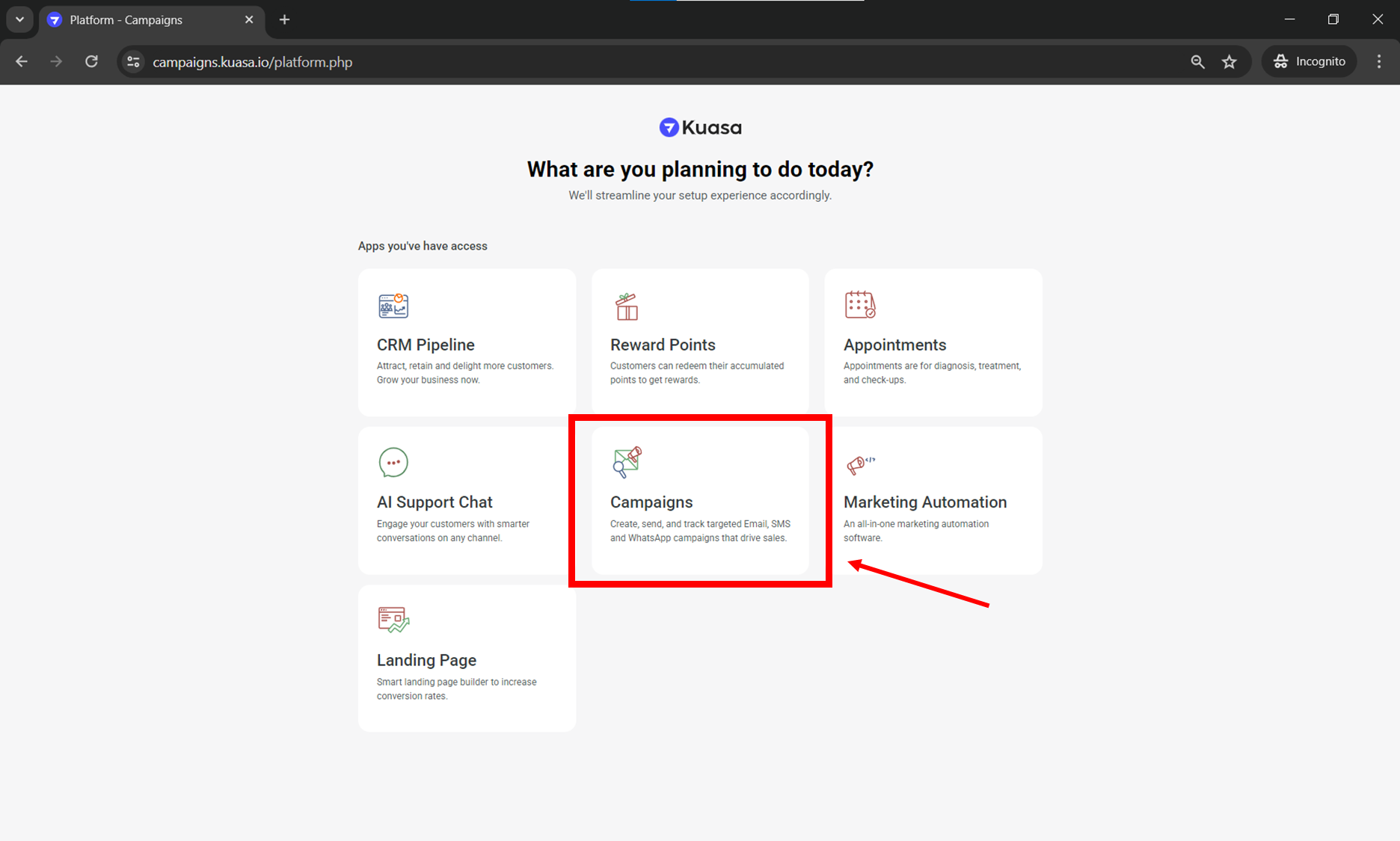
1. Login to your account via .
2. Click **Campaigns.**
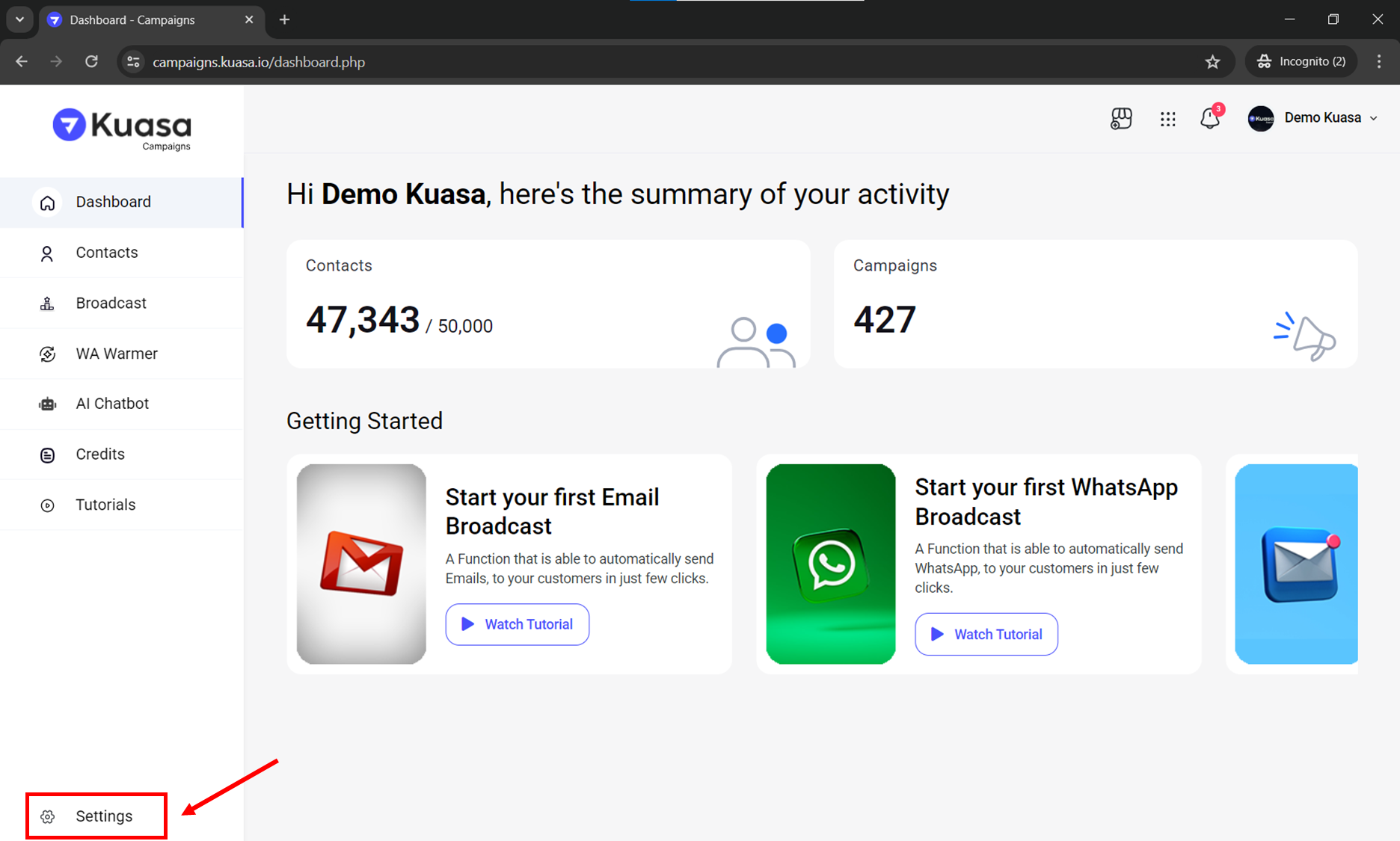
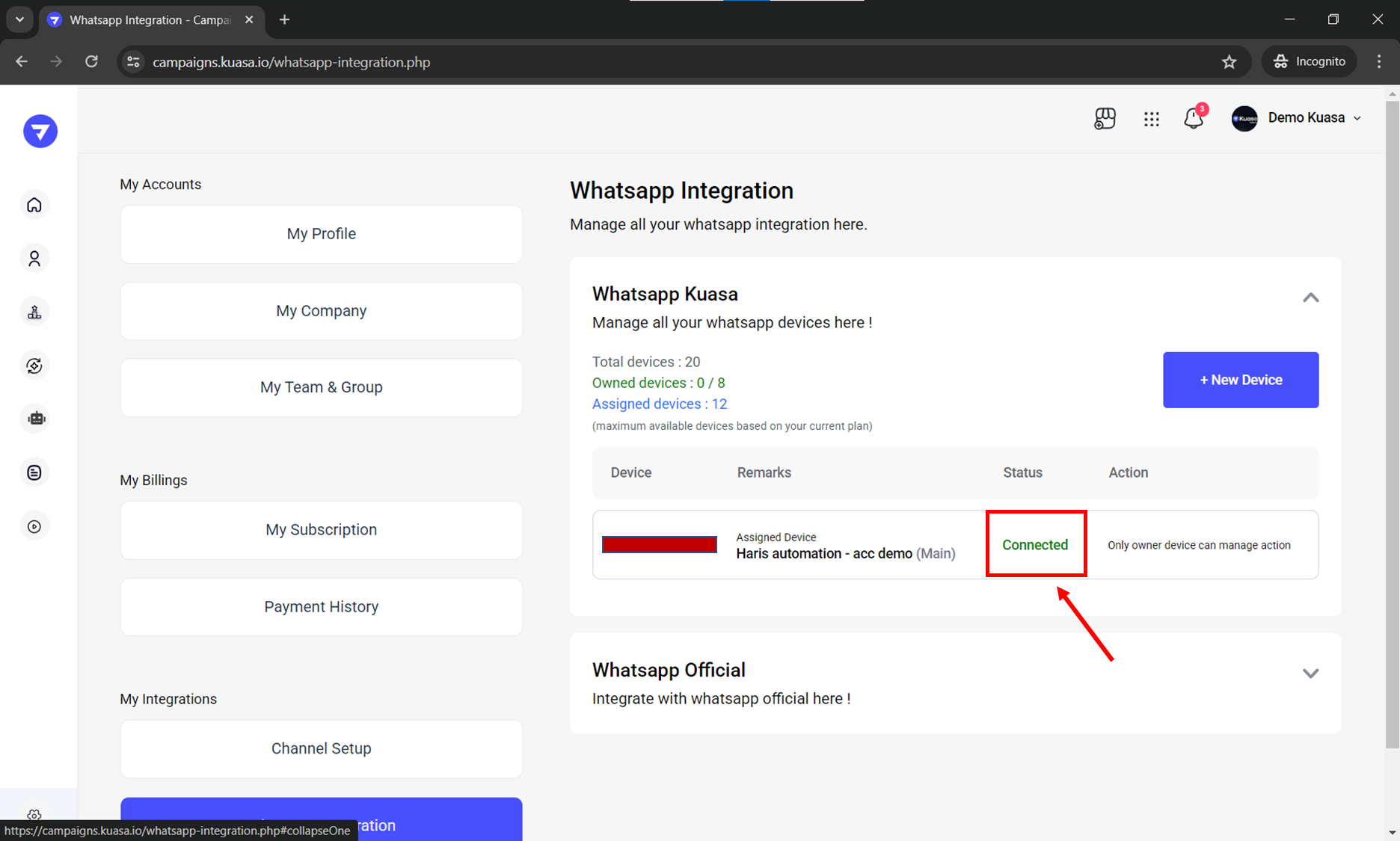
3. Make sure that your WhatsApp device is connected to your Kuasa account. You may check the connection on your device settings.
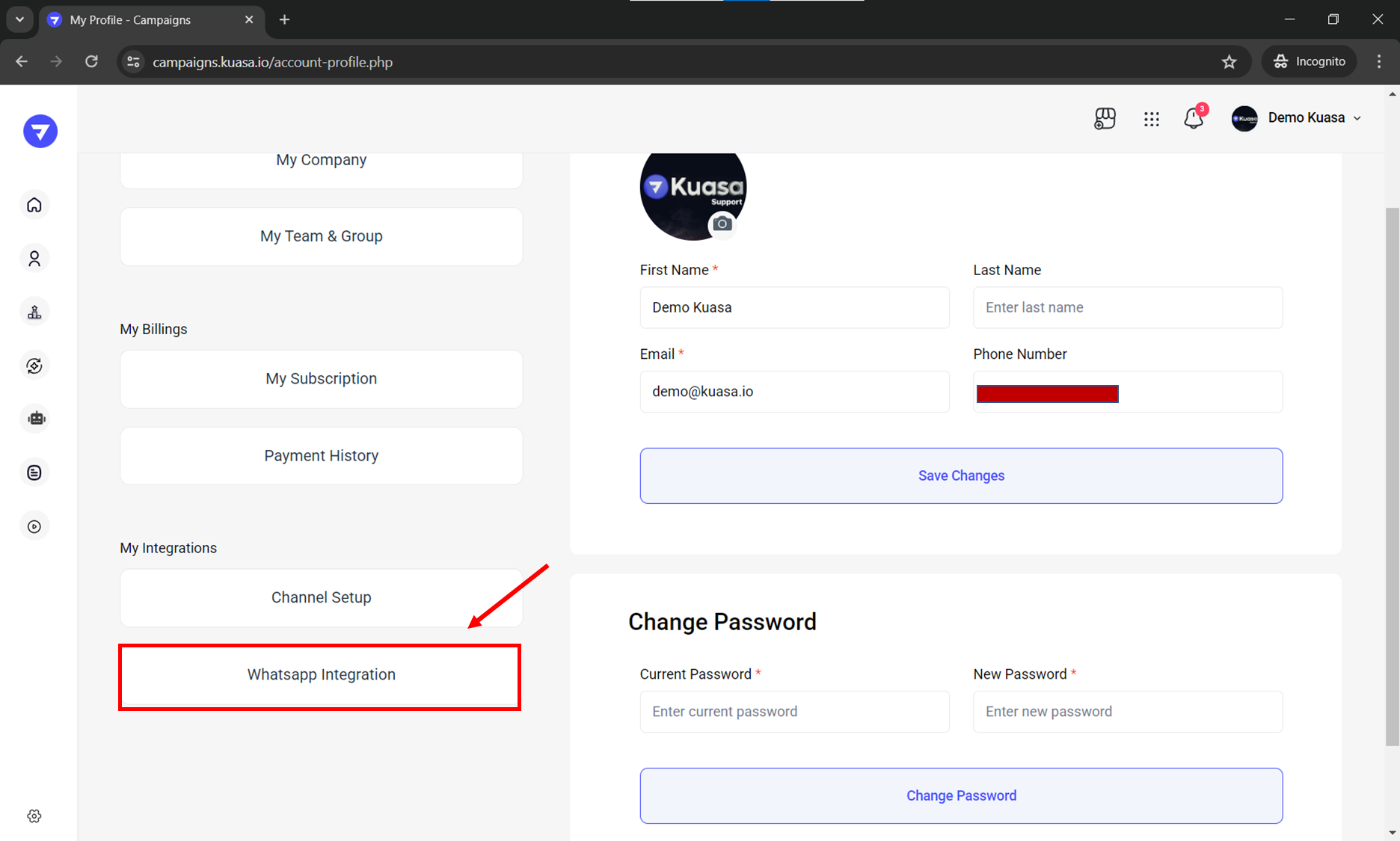
4. Click **WhatsApp Integration**.
5. Make sure the connection is **Connected**.
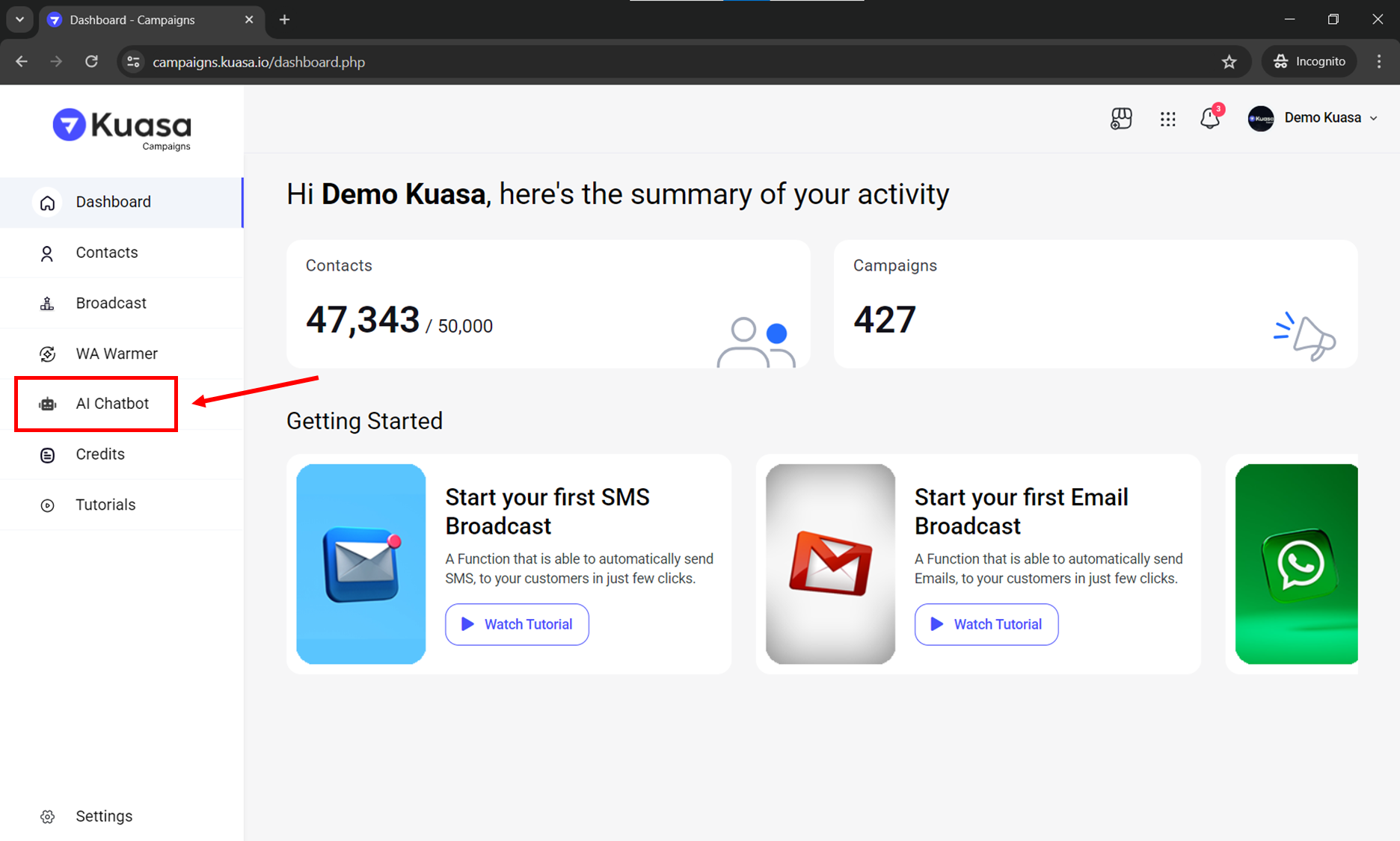
6. Click **AI Chatbot** on left side of your account.
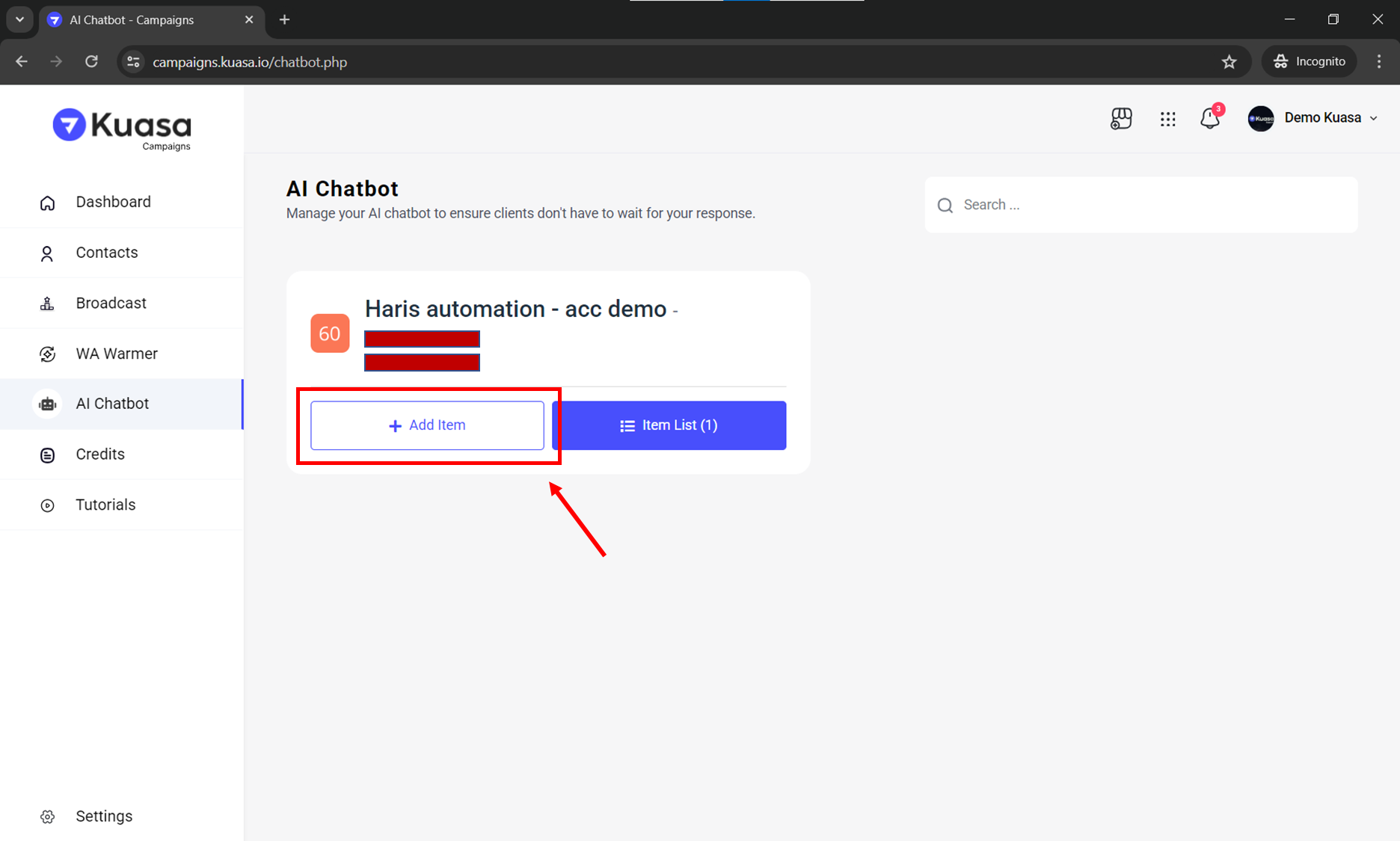
7. Click **Add Item**.
8. You need to set the setup for your AI Chatbot:
* **Status**: Enable
* **Name**: Insert you AI name
* **Keywords**: Any keyword to activate your AI Chatbot
* **Caption**: As prompt to your AI
* **Not Use AI**: The caption will be sent.
* **Use AI**: AI will be activated to answer your customers.
Then, you may click **Add New** button.
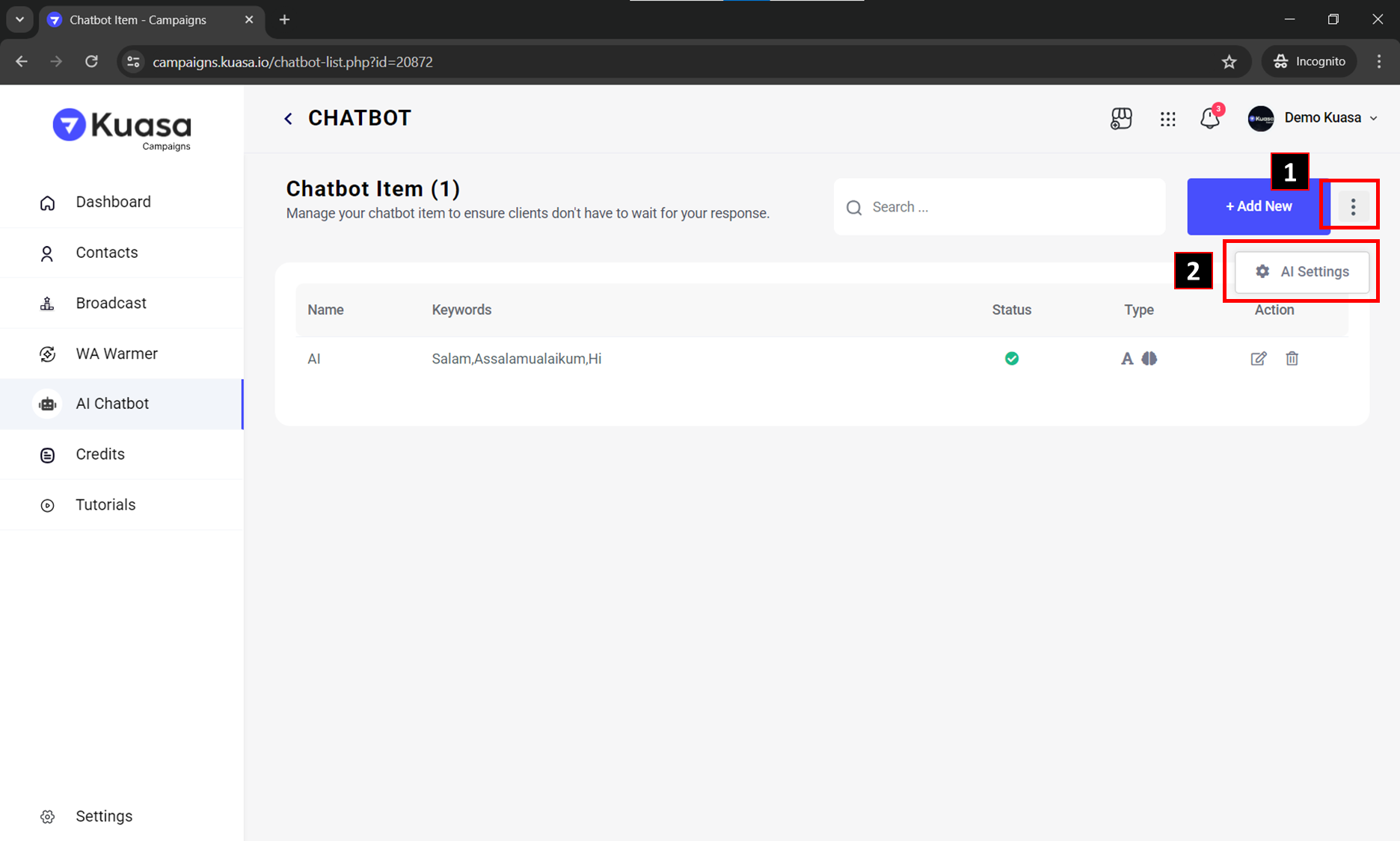
9. To **activate** your AI Chatbot, you may click triple colon as instructed in the picture below and then, click **AI Settings**.
10. You may follow step below to activate your AI Chatbot:
* **AI Status**: Enable
* Chat keyword to Disable bot: Disable (or insert any other word to disable your AI Chatbot)
* Click **Save Changes** button