> For the complete documentation index, see [llms.txt](https://tutorials.kuasa.io/getting-started/llms.txt). Markdown versions of documentation pages are available by appending `.md` to page URLs; this page is available as [Markdown](https://tutorials.kuasa.io/getting-started/kuasa-campaigns/credits/how-to-buy-email-credits.md).
# How To Buy Email Credits
1. Login to your account via[ ](https://reward-points.kuasa.io/).
2. Click **Campaigns.**
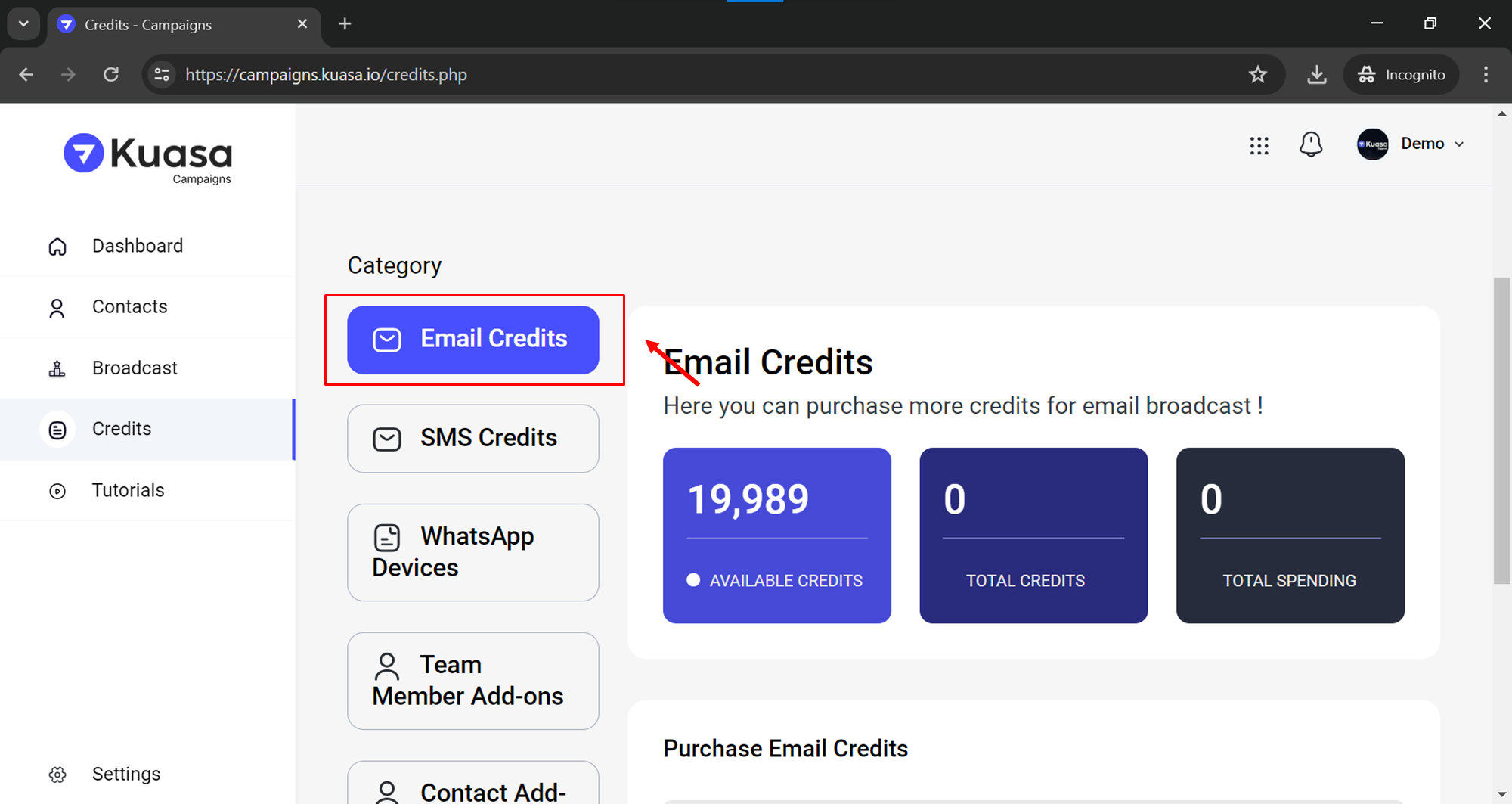
3. Click **Credits**.
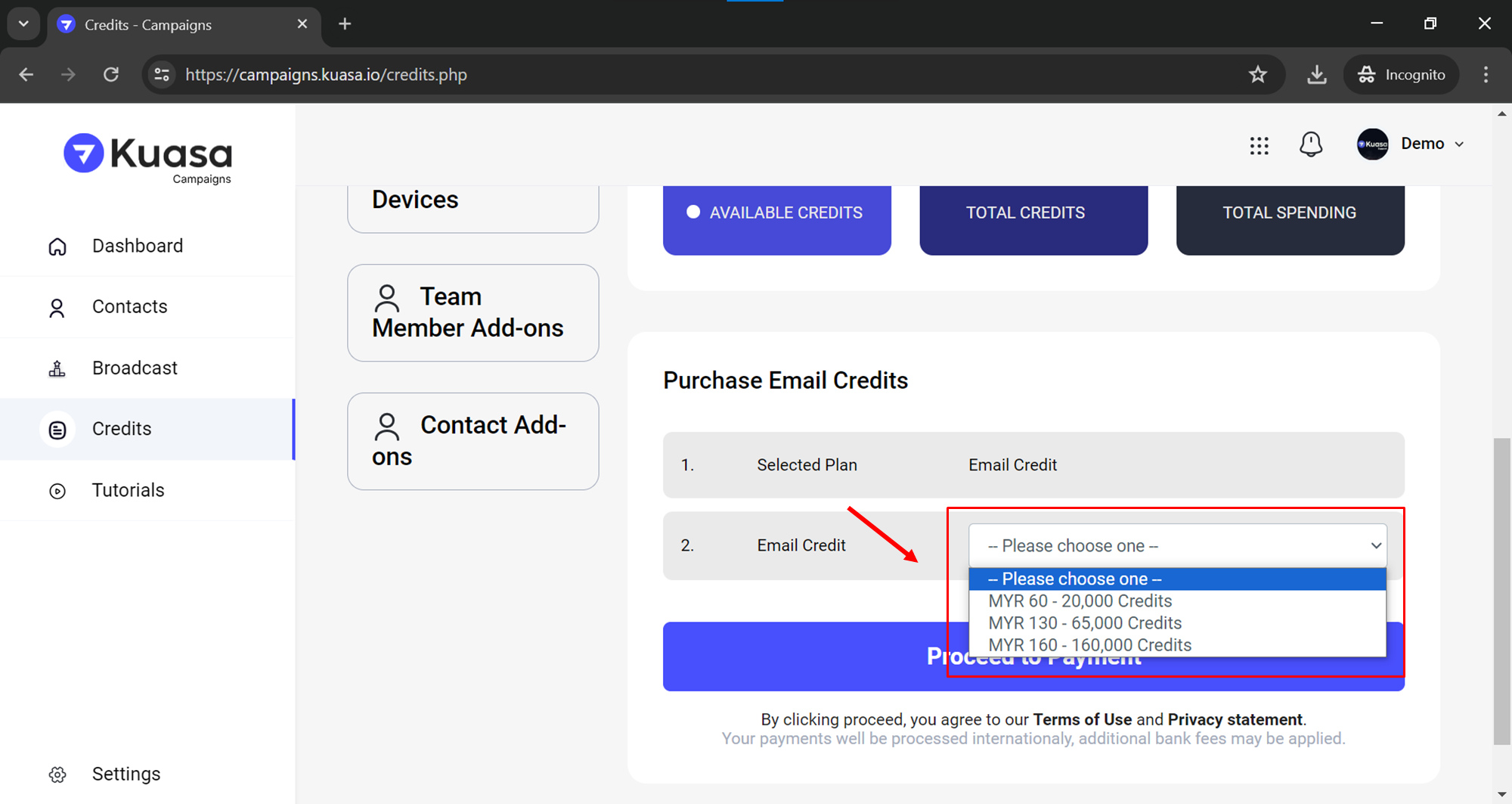
4. Make sure you are in **Email Credits** and scroll down.
5. Select the **Email Credits** package you want and click **Proceed to Payment** button.
6. Enter your payment information and click Pay button to proceed with the payment.
7. Congratulations! You have successfully purchased Email Credits.