> For the complete documentation index, see [llms.txt](https://tutorials.kuasa.io/getting-started/llms.txt). Markdown versions of documentation pages are available by appending `.md` to page URLs; this page is available as [Markdown](https://tutorials.kuasa.io/getting-started/kuasa-landing-page/contacts/manage-tags/how-to-add-tags/how-to-edit-tags.md).
# How To Edit Tags
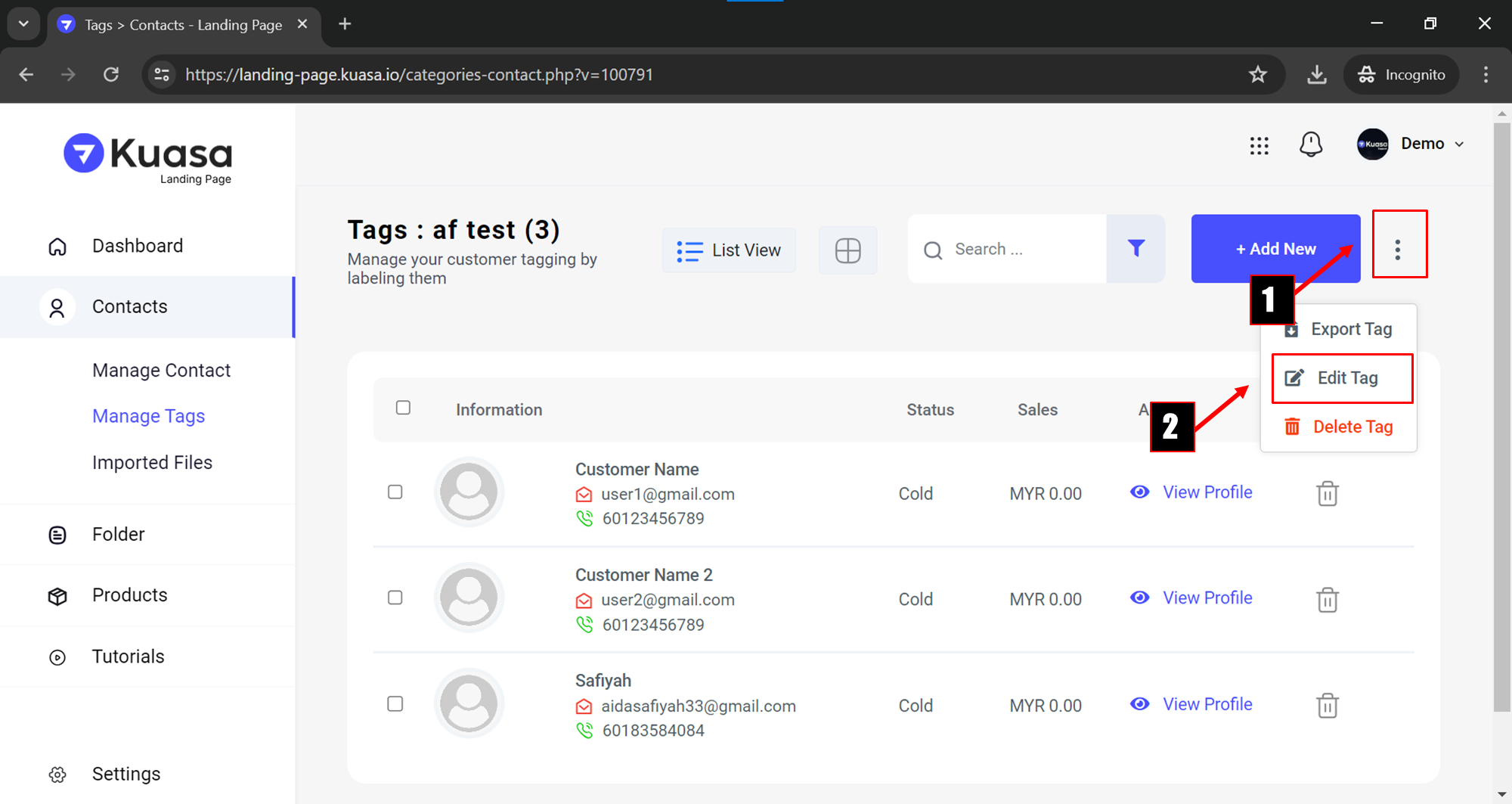
1. Step 1: Click triple colon as shown in the picture below.\
\
Step 2: Click **Edit Tag** to edit the tag name.
2. Step 1: Fill in the new **Tags Name** in the textbox provided.\
\
Step 2: Click **Save Changes** button to save the process.
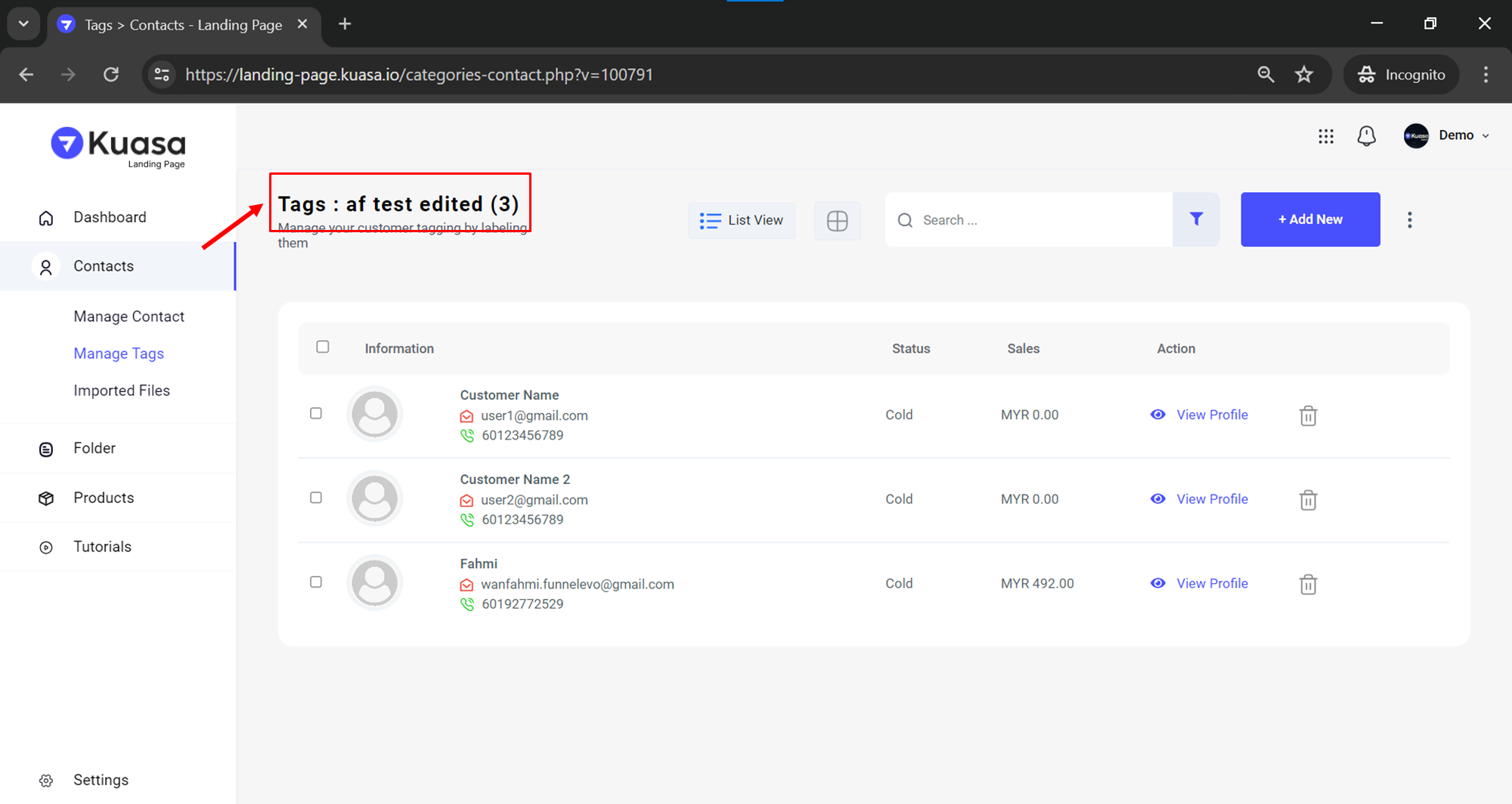
3. New Tags Name has been successfully edited.