> For the complete documentation index, see [llms.txt](https://tutorials.kuasa.io/getting-started/llms.txt). Markdown versions of documentation pages are available by appending `.md` to page URLs; this page is available as [Markdown](https://tutorials.kuasa.io/getting-started/kuasa-landing-page/landing-page/how-to-build-your-funnel-landing-page-sales-funnel.md).
# How To Build Your Funnel Landing Page (Sales Funnel)
Before creating your Sales Funnel, you need to make sure that you have created your product. Click link below to be directed to the tutorial on creating a product.
* [**How to Add Product**](/getting-started/kuasa-landing-page/products/product-listing/how-to-add-product.md)
1. Login to your Kuasa account via .
2. Click **Landing Page.**
3. Click **+ Add New Page button.**
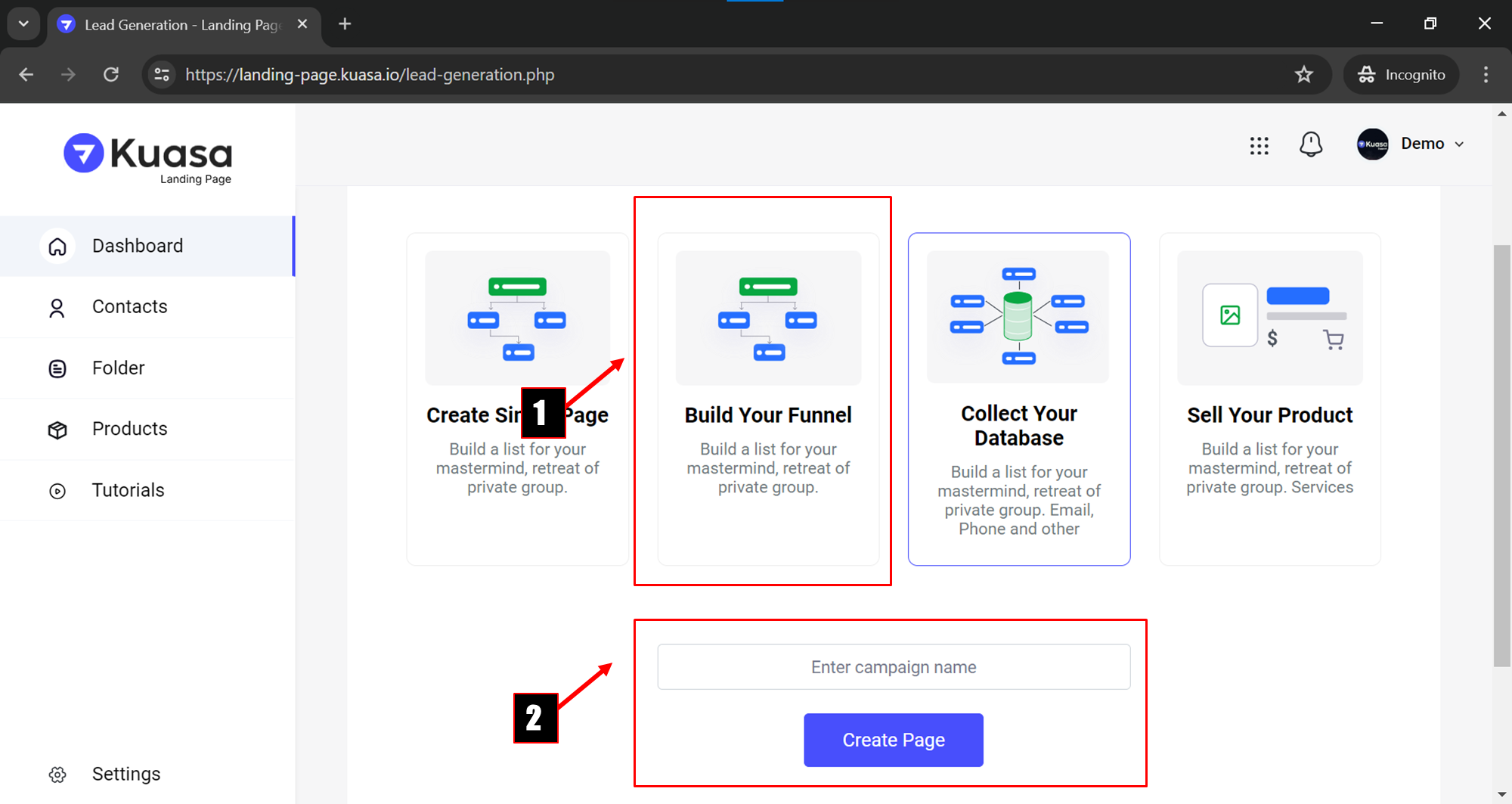
4. Step 1: Click **Build Your Funnel.**\
\
Step 2: Enter your **campaign name** and click **Create Page** button to proceed the process.
5. Select any template provided.
6. You will be directed to a page to create your website.
7. You need to scroll down to click **Edit Pages** button.
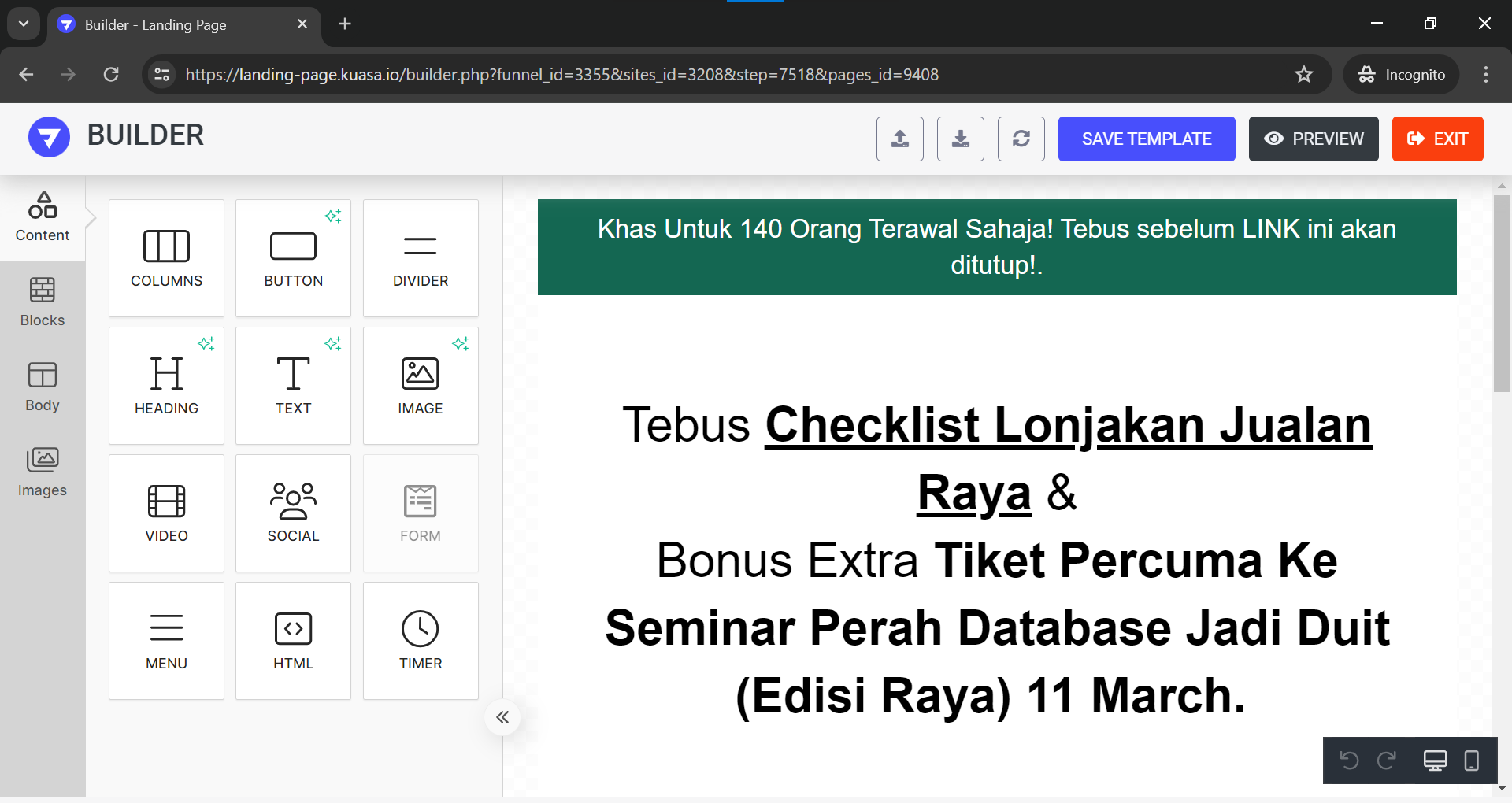
8. After you have clicked **Edit Pages** button from previous step, you will be directed to a **Builder** page.